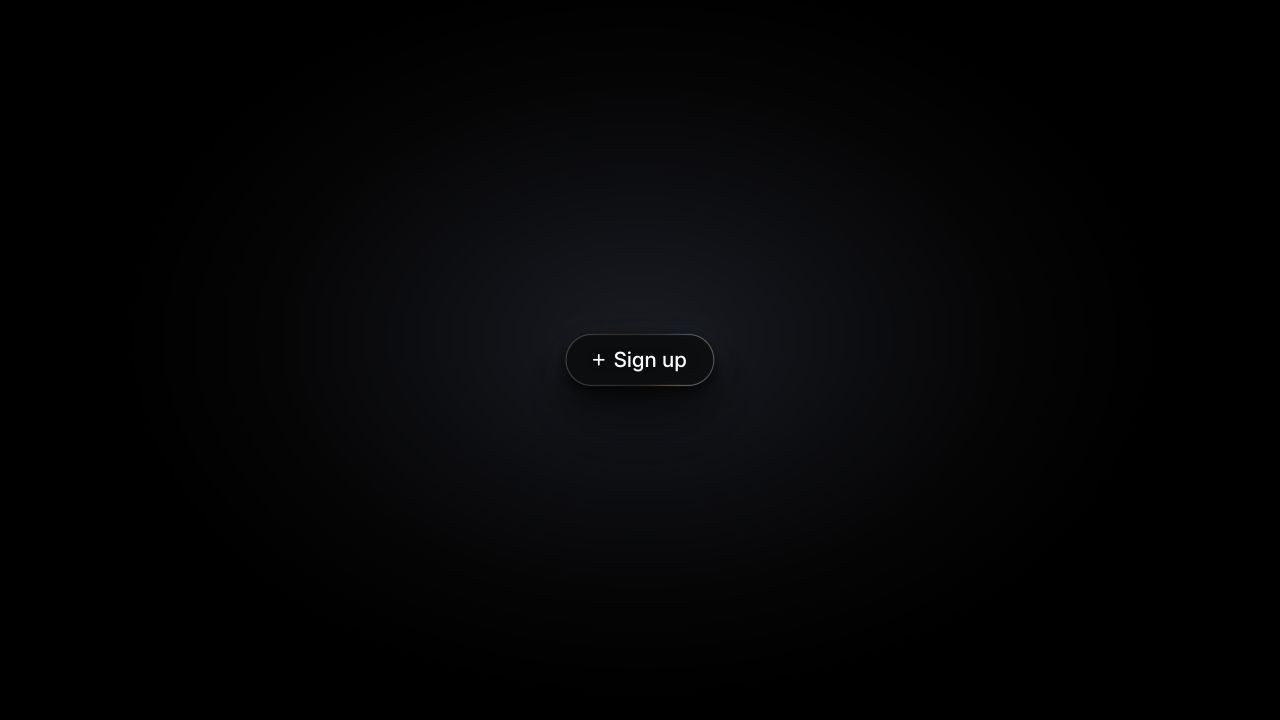
类型:3D · 分类:Buttons · 收录:2026-09-16 20:35:01 · 源码:会员可见
# Liquid Metal Button
A prismatic liquid-metal control in Sign up pill, Liquid Orb, and configurable Play Circle variants, with pointer-following bloom and press ripples.

> 来源:ThreeUI Community · https://threeui.com · MIT License(Meng To / Design+Code)
> 组件页:https://threeui.com/component/liquid-metal-button · 预览动画:https://threeui.com/previews/liquid-metal-button.webm
> 分类:Buttons
> 包含变体(3):play-circle、pill、circle

/* ===== src/shaders/liquid-metal-button/LiquidMetalButton.tsx (tsx) ===== */
import { useCallback, useEffect, useMemo, useRef, useState } from "react";

import liquidMetalButtonSource from "./liquid-metal-button.html?raw";

export type LiquidMetalButtonVariant = "pill" | "circle" | "play";

export type LiquidMetalButtonProps = {
  variant?: LiquidMetalButtonVariant;
  className?: string;
  rendering?: "colored" | "monotone";
  diameter?: number;
  strokeWidth?: number;
  text?: string;
  embedded?: boolean;
  onClick?: () => void;
};

const LIQUID_METAL_BUTTON_BRIDGE = `
<script id="liquid-metal-button-bridge">
  window.addEventListener('message', event => {
    if(event.source !== parent) return;
    const config = event.data && event.data.liquidMetalButton;
    if(!config) return;
    const text = typeof config.text === 'string' ? config.text.slice(0, 24) : '';
    const label = btn.querySelector('.lbl');
    if(label) label.textContent = text;
    btn.setAttribute('aria-label', text || 'Button');
    if(Number.isFinite(config.pillWidthUnits)) {
      stage.style.setProperty('--bw', 'calc(' + config.pillWidthUnits + ' * var(--u))');
    }
    document.body.style.background = config.embedded ? '#0e0f12' : '';
    stage.style.position = config.embedded ? 'absolute' : '';
    stage.style.top = config.embedded ? '50%' : '';
    stage.style.left = config.embedded ? '50%' : '';
    stage.style.transform = config.embedded ? 'translate(-50%, -50%)' : '';
  });

  btn.addEventListener('click', () => {
    parent.postMessage({ liquidMetalButton: { type: 'activate' } }, '*');
  });
</script>`;

const CIRCLE_RUNTIME_STYLE = `
<style id="liquid-metal-circle-variant">
  body[data-shape="circle"] .stage {
    --h: clamp(56px, 10vmin, 72px);
    --bw: var(--h);
  }

  body[data-shape="circle"] .btn {
    gap: 0;
  }

  body[data-shape="circle"] .btn .ico {
    width: 28%;
    height: 28%;
  }

  body[data-shape="circle"] .btn .lbl {
    display: none;
  }
</style>`;

function sourceForVariant(variant: Exclude<LiquidMetalButtonVariant, "play">) {
  if (variant === "pill") {
    return liquidMetalButtonSource.replace("</body>", `${LIQUID_METAL_BUTTON_BRIDGE}n</body>`);
  }

  return liquidMetalButtonSource
    .replace("</head>", `${CIRCLE_RUNTIME_STYLE}n</head>`)
    .replace("<body>", '<body data-shape="circle">')
    .replace(
      '<button class="btn" id="btn" type="button">',
      '<button class="btn" id="btn" type="button" aria-label="Add">',
    )
    .replace("</body>", `${LIQUID_METAL_BUTTON_BRIDGE}n</body>`);
}

const liquidMetalPlayButtonSource = liquidMetalButtonSource
  .replace(
    "--bw: calc(1407 * var(--u));",
    "--bw: var(--h);",
  )
  .replace(
    "</style>",
    `
  /* Circular play-button adapter. The renderer and interaction graph stay
     source-exact; only geometry, finish, outline, and accessible naming vary. */
  body{position:relative}
  .stage{
    --h:88px;
    position:absolute;top:50%;left:50%;
    transform:translate(-50%,-50%);
  }
  #fx{filter:none}
  .btn{flex-direction:column;gap:0}
  .btn:focus-visible{outline:2px solid rgba(255,255,255,.68);outline-offset:4px}
  .btn .ico{
    width:calc(var(--h) * .25);height:calc(var(--h) * .25);
    transform:translateX(calc(var(--h) * .018));
  }
</style>`,
  )
  .replace(
    `<button class="btn" id="btn" type="button">
    <svg class="ico" viewBox="0 0 115 115" aria-hidden="true">
      <g stroke="currentColor" stroke-width="17" stroke-linecap="round">
        <path d="M57.5 8.5 V106.5"/>
        <path d="M8.5 57.5 H106.5"/>
      </g>
    </svg>
    <span class="lbl">Sign up</span>
  </button>`,
    `<button class="btn" id="btn" type="button" aria-label="Play">
    <svg class="ico" viewBox="0 0 48 48" aria-hidden="true">
      <path fill="currentColor" d="M15.5 10.75a2.2 2.2 0 0 1 3.32-1.9l18.04 13.25a2.35 2.35 0 0 1 0 3.8L18.82 39.15a2.2 2.2 0 0 1-3.32-1.9v-26.5Z"/>
    </svg>
  </button>`,
  )
  .replace(
    "let needResize = true;",
    "let needResize = true;nlet playStrokeWidth = 3;",
  )
  .replace(
    "const bw = Math.max(1.5, 3.2 * (BH/516));      // stroke half-width, device px",
    "const bw = Math.max(0.5 * DPR, playStrokeWidth * DPR * 0.5); // configurable stroke half-width, device px",
  )
  .replace(
    "window.__seek   = v => { clock = v; drawn = null; };",
    `window.__seek   = v => { clock = v; drawn = null; };

window.addEventListener('message', event => {
  if(event.source !== parent) return;
  const config = event.data && event.data.liquidMetalPlayButton;
  if(!config) return;
  const diameter = Math.min(160, Math.max(72, Number(config.diameter) || 88));
  const strokeWidth = Math.min(8, Math.max(1, Number(config.strokeWidth) || 3));
  const text = typeof config.text === 'string' ? config.text.slice(0, 24) : 'Play';
  stage.style.setProperty('--h', diameter + 'px');
  playStrokeWidth = strokeWidth;
  btn.setAttribute('aria-label', text.trim() || 'Play');
  cv.style.filter = config.rendering === 'monotone' ? 'grayscale(1) contrast(1.04)' : 'none';
  needResize = true;
  drawn = null;
});`,
  )
  .replace("</body>", `${LIQUID_METAL_BUTTON_BRIDGE}n</body>`);

function clamp(value: number, min: number, max: number, fallback: number) {
  return Number.isFinite(value) ? Math.min(max, Math.max(min, value)) : fallback;
}

export function LiquidMetalButton({
  className = "",
  variant = "pill",
  rendering = "colored",
  diameter = 88,
  strokeWidth = 3,
  text,
  embedded = false,
  onClick,
}: LiquidMetalButtonProps) {
  const hostRef = useRef<HTMLDivElement>(null);
  const frameRef = useRef<HTMLIFrameElement>(null);
  const intersectsRef = useRef(true);
  const [mounted, setMounted] = useState(true);
  const [ready, setReady] = useState(false);
  const safeVariant: LiquidMetalButtonVariant =
    variant === "circle" || variant === "play" ? variant : "pill";
  const isPlayButton = safeVariant === "play";
  const safeText = String(text ?? (safeVariant === "pill" ? "Sign up" : safeVariant === "circle" ? "Add" : "Play"))
    .slice(0, 24);
  const pillWidthUnits = safeVariant === "pill"
    ? Math.min(3000, Math.max(1407, 820 + safeText.length * 94))
    : undefined;
  const source = useMemo(
    () => isPlayButton ? liquidMetalPlayButtonSource : sourceForVariant(safeVariant),
    [isPlayButton, safeVariant],
  );
  const playConfig = {
    diameter: clamp(diameter, 72, 160, 88),
    strokeWidth: clamp(strokeWidth, 1, 8, 3),
    rendering,
    text: safeText,
  } as const;

  const syncButtonConfig = useCallback(() => {
    frameRef.current?.contentWindow?.postMessage({
      liquidMetalButton: { text: safeText, pillWidthUnits, embedded },
    }, "*");
  }, [embedded, pillWidthUnits, safeText]);

  const syncPlayConfig = useCallback(() => {
    if (!isPlayButton) return;
    frameRef.current?.contentWindow?.postMessage({ liquidMetalPlayButton: playConfig }, "*");
  }, [isPlayButton, playConfig.diameter, playConfig.rendering, playConfig.strokeWidth, playConfig.text]);

  useEffect(() => {
    const host = hostRef.current;
    if (!host) return;

    const sync = () => setMounted(intersectsRef.current && document.visibilityState !== "hidden");
    const observer = new IntersectionObserver(([entry]) => {
      intersectsRef.current = entry.isIntersecting;
      sync();
    }, { rootMargin: "80px" });

    observer.observe(host);
    document.addEventListener("visibilitychange", sync);
    return () => {
      observer.disconnect();
      document.removeEventListener("visibilitychange", sync);
    };
  }, []);

  useEffect(() => {
    if (!mounted) setReady(false);
  }, [mounted]);

  useEffect(() => {
    if (!ready) return;
    syncButtonConfig();
    syncPlayConfig();
  }, [ready, syncButtonConfig, syncPlayConfig]);

  useEffect(() => {
    if (!onClick) return undefined;
    const receiveMessage = (event: MessageEvent) => {
      if (event.source !== frameRef.current?.contentWindow) return;
      if (event.data?.liquidMetalButton?.type !== "activate") return;
      onClick();
    };
    window.addEventListener("message", receiveMessage);
    return () => window.removeEventListener("message", receiveMessage);
  }, [onClick]);

  return (
    <div
      ref={hostRef}
      className={`liquid-metal-button${className ? ` ${className}` : ""}`}
      data-state={!mounted ? "paused" : ready ? "ready" : "loading"}
      data-variant={safeVariant}
    >
      {mounted ? (
        <iframe
          key={safeVariant}
          ref={frameRef}
          className={`liquid-metal-button__frame${ready ? " is-ready" : ""}`}
          title={safeVariant === "circle"
            ? "Interactive liquid metal circle button"
            : isPlayButton
              ? "Interactive liquid metal play button"
              : "Interactive liquid metal button"}
          srcDoc={source}
          sandbox="allow-scripts"
          loading="eager"
          onLoad={() => {
            setReady(true);
            syncButtonConfig();
            syncPlayConfig();
          }}
        />
      ) : null}
    </div>
  );
}

/* ===== src/shaders/liquid-metal-button/liquid-metal-button.html (html) ===== */
<!DOCTYPE html>
<html lang="en">
<head>
<meta charset="utf-8">
<meta name="viewport" content="width=device-width, initial-scale=1">
<title>Liquid Metal Button</title>
<link rel="preconnect" href="https://fonts.googleapis.com">
<link rel="preconnect" href="https://fonts.gstatic.com" crossorigin>
<link href="https://fonts.googleapis.com/css2?family=Inter:opsz,wght@14..32,100..900&display=swap" rel="stylesheet">
<style>
  *{box-sizing:border-box;margin:0;padding:0}
  html,body{height:100%}
  body{
    /* A shadow needs something to fall on: a soft ambient pool lifts the
       ground just off black so the button reads as sitting above it. */
    background:
      radial-gradient(46vmax 32vmax at 50% 47%,
        #191b21 0%, #0e0f13 34%, #050506 62%, #000 88%) #000;
    display:grid;place-items:center;
    overflow:hidden;
    font-family:"Inter",-apple-system,BlinkMacSystemFont,"Helvetica Neue",Arial,sans-serif;
    font-optical-sizing:auto;
    -webkit-font-smoothing:antialiased;
  }

  /* Everything is expressed in the reference's own units (the pill measured
     1407 x 516 there), scaled off one ergonomic knob: the button height. */
  .stage{
    --h: 52px;                            /* a normal control height */
    --u: calc(var(--h) / 516);
    --bw: calc(1407 * var(--u));
    --bh: var(--h);
    /* The canvas is the stage, so this has to clear the bloom's full reach
       (~4 sigma) or the halo gets cut off against a visible rectangle. */
    --pad: calc(900 * var(--u));
    position:relative;
    width:calc(var(--bw) + 2 * var(--pad));
    height:calc(var(--bh) + 2 * var(--pad));
    display:grid;place-items:center;
    touch-action:manipulation;
  }

  /* the button's own solid body, and the shadow it casts on the pool */
  .plate{
    position:absolute;
    width:var(--bw);height:var(--bh);
    border-radius:999px;
    background:#0b0c0e;
    box-shadow:
      0 calc(var(--h) * 0.10) calc(var(--h) * 0.22) rgba(0,0,0,.72),
      0 calc(var(--h) * 0.30) calc(var(--h) * 0.66) rgba(0,0,0,.62),
      0 calc(var(--h) * 0.62) calc(var(--h) * 1.30) rgba(0,0,0,.42);
    transition:box-shadow .38s cubic-bezier(.22,.61,.36,1),
               background .38s cubic-bezier(.22,.61,.36,1);
  }
  /* deepen it while the metal is lit, so the bright face keeps its edge */
  body.hot .plate{
    background:#08090a;
    box-shadow:
      0 calc(var(--h) * 0.12) calc(var(--h) * 0.26) rgba(0,0,0,.80),
      0 calc(var(--h) * 0.40) calc(var(--h) * 0.86) rgba(0,0,0,.72),
      0 calc(var(--h) * 0.86) calc(var(--h) * 1.80) rgba(0,0,0,.55);
  }

  #fx{position:absolute;inset:0;width:100%;height:100%;display:block}

  .btn{
    position:relative;
    width:var(--bw);height:var(--bh);
    border:0;background:none;padding:0;
    border-radius:999px;
    display:flex;align-items:center;justify-content:center;
    gap:calc(88 * var(--u));
    color:#fff;
    font-family:inherit;
    font-weight:500;
    font-size:calc(207 * var(--u));
    line-height:1;
    letter-spacing:0;
    cursor:pointer;
    -webkit-tap-highlight-color:transparent;
    outline:none;
  }
  .btn:focus-visible{outline:calc(4 * var(--u)) solid rgba(255,255,255,.55);outline-offset:calc(10 * var(--u))}
  .btn .ico{
    width:calc(115 * var(--u));height:calc(115 * var(--u));
    display:block;flex:none;overflow:visible;
  }
  /* descenders pull the flex box up — nudge back so the cap box, not the
     em box, is what sits centred on the pill (measured, not guessed) */
  .btn .lbl{display:block;transform:translateY(calc(2 * var(--u)))}

  /* pressed: the button settles onto the surface, so the shadow tightens */
  body.press .plate{
    background:#070809;
    box-shadow:
      0 calc(var(--h) * 0.05) calc(var(--h) * 0.13) rgba(0,0,0,.82),
      0 calc(var(--h) * 0.16) calc(var(--h) * 0.40) rgba(0,0,0,.70),
      0 calc(var(--h) * 0.34) calc(var(--h) * 0.80) rgba(0,0,0,.50);
    transition-duration:.10s;
  }
</style>
</head>
<body>
<div class="stage" id="stage">
  <div class="plate" aria-hidden="true"></div>
  <canvas id="fx"></canvas>

  <button class="btn" id="btn" type="button">
    <svg class="ico" viewBox="0 0 115 115" aria-hidden="true">
      <g stroke="currentColor" stroke-width="17" stroke-linecap="round">
        <path d="M57.5 8.5 V106.5"/>
        <path d="M8.5 57.5 H106.5"/>
      </g>
    </svg>
    <span class="lbl">Sign up</span>
  </button>
</div>

<script>
/* =====================================================================
   Liquid metal — a dispersion shader.

   A scalar field V is painted through a soft plateau: dark below it, blown
   white inside, dark above.  The plateau is evaluated once per spectral
   wavelength at a slightly different height in V, so the plateau's lower
   edge fringes warm (red turns on first) and its upper edge fringes cool
   (red turns off first).  Fringe width falls out as dispersion / |grad V|,
   which is why the same shader gives razor-thin rainbow lines where the
   field is pinched and huge navy-to-cyan washes where it is not.

   V itself is built as a family of parallel curves — one swooping valley
   repeated up the button, at a density that varies along its length — so
   the ribbons stay laminar rather than turbulent.  See the shader body.
   ===================================================================== */

const VERT = `#version 300 es
in vec2 position; void main(){ gl_Position = vec4(position,0.,1.); }`;

const HEAD = `#version 300 es
precision highp float;
out vec4 o;

uniform vec2  uC;        // pill centre, device px
uniform vec2  uHalf;     // pill half-extent, device px
uniform float uT;        // seconds
uniform float uHover;    // 0..1
uniform float uPress;    // 0..1, eased
uniform vec4  uRip[3];   // xy centre (button heights, +y down), z start, w live
uniform vec4  uRipK;     // speed, ring width, decay, amplitude
uniform vec4  uRipK2;    // facet depth, facet count, crest sharpness, emission
uniform vec4  uPtr;      // xy trailing cursor, z strength, w normalised speed
uniform vec4  uPtrK;     // radius, base amplitude, speed amplitude, rim lift

#define PI 3.14159265

float sdPill(vec2 p, vec2 b, float r){
  vec2 q = abs(p) - b + r;
  return min(max(q.x,q.y),0.) + length(max(q,0.)) - r;
}

/* Expanding ring from each press, in button-height units.  Three slots so a
   quick double-tap overlaps instead of cutting the first one off.

   Two things keep it from reading as a water ripple: the wavefront is
   faceted rather than circular — its radius is modulated by angle, and the
   facets rotate as it travels — and the crest profile is a cusp rather than
   a gaussian, so it lands as a crease in sheet metal instead of a soft swell. */
float ripple(vec2 p, float t){
  float sum = 0.;
  for(int i = 0; i < 3; i++){
    if(uRip[i].w < 0.5) continue;
    float age = t - uRip[i].z;
    if(age < 0. || age > 4.) continue;
    vec2  rp = p - uRip[i].xy;
    float facet = 1. + uRipK2.x * cos(uRipK2.y * atan(rp.y, rp.x) + age * 2.1 + float(i) * 2.4);
    float x = (length(rp) - age * uRipK.x * facet) / uRipK.y;
    sum += exp(-pow(abs(x) + 1e-4, uRipK2.z)) * exp(-age * uRipK.z);
  }
  return sum;
}

/* A soft well under the cursor.  It lags behind the real pointer and swells
   with speed, so moving across the button drags the metal rather than sliding
   a static blob over it. */
float pointerW(vec2 p){
  if(uPtr.z < 0.001) return 0.;
  float d = length(p - uPtr.xy) / uPtrK.x;
  return exp(-d*d) * uPtr.z;
}
/* Displacing the sample point, not the field value, is what makes this read as
   liquid: the bands bulge and stretch around the cursor like a lens instead of
   just getting brighter under it. */
vec2 pointerWarp(vec2 p){
  float w = pointerW(p);
  if(w <= 0.) return vec2(0.);
  return normalize(p - uPtr.xy + vec2(1e-5)) * w * (uPtrK.y + uPtrK.z * uPtr.w);
}
`;

/* ---- the travelling rim, in its own pass so the blur below never touches it */
const FRAG_RIM = HEAD + `
uniform float uBw;       // stroke half-width, device px
uniform float uE[8];     // base, hot, chroma-across, chroma-along, speed,
                         // topBias, press lift, ripple lift

/* Arc-length position around the pill, 0..1, starting at the right-hand
   extreme and running counter-clockwise.  Straight runs and caps are measured
   in real length so a highlight travels at a constant speed all the way
   round instead of stalling on the caps. */
float perim(vec2 d, float a, float r){
  float P = 4.*a + 2.*PI*r;
  float s;
  if(d.x >= a){                                   // right cap
    float th = atan(d.y, d.x - a); if(th < 0.) th += 2.*PI;
    s = (th <= PI*0.5) ? r*th : P - r*(2.*PI - th);
  } else if(d.x <= -a){                           // left cap
    float th = atan(d.y, d.x + a); if(th < 0.) th += 2.*PI;
    s = r*PI*0.5 + 2.*a + r*(th - PI*0.5);
  } else if(d.y >= 0.){                           // top run
    s = r*PI*0.5 + (a - d.x);
  } else {                                        // bottom run
    s = r*PI*1.5 + 2.*a + (d.x + a);
  }
  return s / P;
}
// periodic bump, so a highlight wraps cleanly at s = 0
float pb(float u, float w){ u = fract(u); float x = min(u, 1.-u); return exp(-(x*x)/(w*w)); }

// travelling brightness around the rim — three lobes at different speeds and
// widths, which never quite re-align, so the light keeps re-pooling
float rimHot(float s, float t){
  float v = uE[0];
  v += 0.62 * pb(s - t*uE[4],             0.075);
  v += 0.44 * pb(s + t*uE[4]*0.63 + 0.41, 0.135);
  v += 0.30 * pb(s - t*uE[4]*0.34 + 0.73, 0.200);
  return v;
}
// soft band riding the pill edge, offset per channel to fringe across the stroke
float rimBand(float sd, float off){ return 1. - smoothstep(0., uBw*1.05, abs(sd + uBw*0.55 + off)); }

void main(){
  vec2  d  = gl_FragCoord.xy - uC;
  float sd = sdPill(d, uHalf, uHalf.y);
  if(sd > uBw*2.5 || sd < -uBw*3.5){ o = vec4(0.); return; }

  /* Each channel is offset both *across* the stroke and *along* it, so the rim
     fringes red-outside / cyan-inside and its hue also drifts as a highlight
     slides past — the two together are what read as metal rather than as a
     moving white dot. */
  float a = max(uHalf.x - uHalf.y, 0.);
  float s = perim(d, a, uHalf.y);
  float top = mix(1., 0.5 + 0.5 * (d.y / uHalf.y), uE[5]);

  // pressing lifts the whole outline, and each ripple flares it again as the
  // ring sweeps past — so the rim reports the press twice, once as a step and
  // once as a wave running round the edge
  // …and the stretch of outline nearest the cursor picks up a little too
  vec2  p   = vec2(d.x, -d.y) / (uHalf.y * 2.);
  float lift = 1. + uPress * uE[6] + ripple(p, uT) * uE[7]
             + pointerW(p) * uPtrK.w;

  o = vec4(vec3(
    rimBand(sd,  uE[2]) * rimHot(s + uE[3], uT),
    rimBand(sd,  0.   ) * rimHot(s,         uT),
    rimBand(sd, -uE[2]) * rimHot(s - uE[3], uT)
  ) * uE[1] * top * lift, 1.);
}`;

const FRAG_SCENE = HEAD + `
uniform float uP[21];    // tunables

float h21(vec2 p){
  vec3 p3 = fract(vec3(p.xyx) * 0.1031);
  p3 += dot(p3, p3.yzx + 33.33);
  return fract((p3.x + p3.y) * p3.z);
}
float vn(vec2 p){
  vec2 i = floor(p), f = fract(p);
  f = f*f*(3.-2.*f);
  float a = h21(i), b = h21(i+vec2(1,0)), c = h21(i+vec2(0,1)), d = h21(i+vec2(1,1));
  return mix(mix(a,b,f.x), mix(c,d,f.x), f.y) * 2. - 1.;
}
// normalised to roughly -1..1; low gain keeps the first octave dominant, which
// is what keeps the ribbons big and smooth instead of turbulent
float fbm(vec2 p, float g){
  float s = 0., a = 1., n = 0.;
  for(int i=0;i<4;i++){ s += a*vn(p); n += a; p = p*2.03 + 11.7; a *= g; }
  return s / n;
}
float fbm(vec2 p){ return fbm(p, 0.5); }

/* p is in button-height units, +y down, origin at the pill centre.

   The bands in the reference are a *family of parallel curves*: one swooping
   valley repeated up the button, dense where the light is pinched and pulled
   wide open where it is not.  So the field is built that way explicitly —

       V = (y - valley(x)) * density(x)

   — rather than hoping 2-D noise happens to produce it.  Level sets of V are
   all vertical translates of the same valley curve, which is what makes the
   ribbons laminar and near-parallel; a density that varies along x is what makes
   them crowd into razor fringes at one end and open into a broad wash at the
   other.  A soft plateau over V then paints them, sampled once per
   wavelength at slightly offset heights, so every edge opens into a prism of
   width dispersion / |grad V|.                                             */

// smooth 1-D wiggle that drifts slowly with time
float wig(float x, float t, float seed){
  return vn(vec2(x,          t*0.150 + seed)) * 0.60
       + vn(vec2(x*2.07 + 4., t*0.105 + seed)) * 0.27
       + vn(vec2(x*4.30 - 7., t*0.080 + seed)) * 0.13;
}

float valleyAt(vec2 p, float t){ return wig(p.x*uP[0], t, 0.0) * uP[1]; }
float densAt  (vec2 p, float t){ return uP[2] * exp(uP[3] * wig(p.x*uP[4] + 9.0, t, 2.7)); }

float surface(vec2 p, float t){
  float V = (p.y - valleyAt(p,t)) * densAt(p,t);
  V += uP[5] * fbm(p*vec2(0.8, 1.7)*uP[6] + vec2(t*0.05, -t*0.03), uP[17]);
  return V - uP[7];
}
// One plateau per unit of V — so the density is literally bands per button height.
// A plateau rather than a step is what puts warm on the low edge and cool on
// the high edge of every ribbon.
float tone(float v){
  float u = fract(v);
  float e = uP[9], W = uP[10] * 0.5;
  return smoothstep(0.5-W-e, 0.5-W, u) * (1. - smoothstep(0.5+W, 0.5+W+e, u));
}
vec3 spec(float t){ return clamp(vec3(1.5) - abs(4.*t - vec3(3.,2.,1.)), 0., 1.); }

void main(){
  vec2  d  = gl_FragCoord.xy - uC;
  float sd = sdPill(d, uHalf, uHalf.y);
  float pill = 1. - smoothstep(-1., 1., sd);
  float S = uHalf.y * 2.;                 // button height, device px
  float t = uT;

  // rgb is premultiplied by the mask and alpha carries it, so the blur that
  // follows can normalise and keep a clean edge instead of a dark vignette
  if(uHover <= 0.0015 || pill <= 0.0015){ o = vec4(0., 0., 0., pill); return; }

  vec2  p = vec2(d.x, -d.y) / S;          // gl_FragCoord is y-up
  vec2  q = p + pointerWarp(p);           // the cursor drags the sheet

  // self-refraction: bend the lookup along the field's own slope, which piles
  // iso-lines up into folds instead of leaving them evenly spaced
  float h0 = surface(q, t);
  vec2  gp = vec2(dFdx(h0), -dFdy(h0)) * S;          // grad in p-units
  float V  = surface(q - gp * uP[8] / max(uP[2], .001), t);

  // gradient-aligned filaments: fast variation across the iso-lines, slow
  // along them, so the fine detail reads as drawn-out fibres of light
  vec2  gd = normalize(gp + vec2(1e-5));
  V += uP[13] * fbm(vec2(dot(q,gd)*uP[14], dot(q, vec2(-gd.y,gd.x))*uP[14]*0.04) + vec2(0., t*0.06));

  // press ripple: displacing the field rather than adding light means the
  // bands themselves bow outwards as the ring passes, which is what sells it
  // as a disturbance *in* the metal instead of a decal over it
  float rip  = ripple(p, t);
  float well = pointerW(p);
  V += rip * uRipK.w;

  // Real dispersion is not linear in wavelength — the blue end bends far more
  // than the red (Cauchy).  Skewing the sample offsets the same way is what
  // gives the reference its broad cool wash against a tight warm edge.
  const int N = 21;
  float mid = 1. - pow(0.5, uP[12]);
  vec3 col = vec3(0.), wsum = vec3(0.);
  for(int i=0;i<N;i++){
    float k = float(i)/float(N-1);
    vec3  w = spec(k);
    col  += w * tone(V + ((1. - pow(1. - k, uP[12])) - mid) * uP[11]);
    wsum += w;
  }
  col /= wsum;
  col = pow(col, vec3(uP[15]));

  // light envelope — the ribbons only exist where the sheet is lit, and the
  // dark upper region is bounded by the same valley curve the bands follow
  float lit = smoothstep(uP[18], uP[19], q.y - valleyAt(q, t));
  lit *= mix(1., lit, 0.55);                     // deepen the unlit crescent
  col *= uP[16] * lit;

  // the crest runs hotter, and carries a little light of its own so it stays
  // legible through the softening blur and across the unlit part of the pill
  col = col * (1. + rip * 1.15 + well * 0.60);

  o = vec4(col * pill * uHover, pill);
}`;

/* Downsample; optionally adding a second source (used to fold the rim into
   the bloom input).  Alpha rides along so the metal's coverage mask survives
   the blur chain. */
const FRAG_DOWN = `#version 300 es
precision highp float;
out vec4 o;
uniform sampler2D uTex, uTex2;
uniform vec2 uDstTexel;   // 1 / destination size  (maps dest fragCoord -> uv)
uniform vec2 uSrcTexel;   // 1 / source size       (tap spacing)
uniform float uAdd;       // 1 to include uTex2
void main(){
  vec2 uv = gl_FragCoord.xy * uDstTexel;
  // Taps sit a quarter of a *destination* texel out, so for a 2x reduction
  // they land exactly on the four source texel centres.  Spacing them by a
  // whole source texel instead — as this did originally — skips every other
  // pixel, and any fine detail in the field folds down into low-frequency
  // moiré that no amount of subsequent blurring can remove.
  vec2 e = uDstTexel * 0.25;
  vec4 s = texture(uTex, uv + vec2(-e.x,-e.y)) + texture(uTex, uv + vec2( e.x,-e.y))
         + texture(uTex, uv + vec2(-e.x, e.y)) + texture(uTex, uv + vec2( e.x, e.y));
  s *= 0.25;
  if(uAdd > 0.5){
    vec4 r = texture(uTex2, uv + vec2(-e.x,-e.y)) + texture(uTex2, uv + vec2( e.x,-e.y))
           + texture(uTex2, uv + vec2(-e.x, e.y)) + texture(uTex2, uv + vec2( e.x, e.y));
    s.rgb += r.rgb * 0.25;
  }
  o = s;
}`;

const FRAG_BLUR = `#version 300 es
precision highp float;
out vec4 o;
uniform sampler2D uTex; uniform vec2 uTexel; uniform vec2 uDir; uniform float uR;
void main(){
  vec2 uv = gl_FragCoord.xy * uTexel;
  vec2 st = uTexel * uDir * uR;
  vec4 s = texture(uTex, uv) * 0.1964;
  s += (texture(uTex, uv + st*1.4118) + texture(uTex, uv - st*1.4118)) * 0.2969;
  s += (texture(uTex, uv + st*3.2941) + texture(uTex, uv - st*3.2941)) * 0.0944;
  s += (texture(uTex, uv + st*5.1765) + texture(uTex, uv - st*5.1765)) * 0.0104;
  o = s;
}`;

const FRAG_COMP = HEAD + `
uniform sampler2D uSoft, uRim, uGlow;
uniform vec2  uRes;
uniform float uGlowGain, uGlowIn, uOccl, uDim, uPunch;

void main(){
  vec2 uv = gl_FragCoord.xy / uRes;
  vec3 glow = texture(uGlow, uv).rgb;

  vec2  d    = gl_FragCoord.xy - uC;
  float sd   = sdPill(d, uHalf, uHalf.y);
  float pill = 1. - smoothstep(-1., 1., sd);

  // normalised blur: dividing by the blurred coverage keeps the softened metal
  // full strength right up to the edge instead of fading into the mask
  vec4 m = texture(uSoft, uv);

  // Scrim, applied *after* the blur: knock the metal back through the middle
  // where the label sits, leaving the top and bottom at full brightness.  Doing
  // this before the blur would smear the protection away at high blur values.
  float veil = 1. - smoothstep(0.46, 0.88, abs(d.y) / uHalf.y);

  // Blurring flattens the tonal range into a wash; putting the contrast back
  // with a power curve — after the blur, so it costs no smoothness — is what
  // makes it read as poured metal rather than a soft glow.  Highlights keep
  // their level while the mid-tones drop away.
  vec3 metal = pow(max(m.rgb / max(m.a, 1e-3), 0.), vec3(uPunch));

  vec3 core = metal * pill * mix(1., uDim, veil) + texture(uRim, uv).rgb;

  // The ripple's own light is added here, after the blur, so the crease stays
  // a hard line.  Its displacement of the field still rides inside the
  // softened metal — the sheet bows, and the crest glints along the fold.
  float rip = ripple(vec2(d.x, -d.y) / (uHalf.y * 2.), uT);
  core += vec3(rip * rip) * uRipK2.w * pill * mix(1., 0.42, veil);

  // The button occludes its own bloom over the patch where its shadow falls,
  // so the drop shadow keeps its contrast even when the face is blown out.
  float sdSh = sdPill(d + vec2(0., uHalf.y * 0.62), uHalf * 0.94, uHalf.y * 0.94);
  float occl = uOccl * exp(-max(sdSh, 0.) / (uHalf.y * 0.75));

  // Bloom spills mostly outward; a little of it is allowed back inside so the
  // hot rim bleeds onto the face, as it does on the reference component.
  vec3 rgb = core + glow * uGlowGain * mix(1., uGlowIn, pill) * (1. - occl * (1. - pill));

  // premultiplied — the page's ambient pool and the button's drop shadow are
  // CSS underneath, and this layer adds light on top of them
  float a = clamp(max(rgb.r, max(rgb.g, rgb.b)), 0., 1.);
  o = vec4(min(rgb, vec3(1.)), a);
}`;

/* --------------------------------------------------------------- */
const cv = document.getElementById('fx');
const gl = cv.getContext('webgl2', {alpha:true, antialias:false, premultipliedAlpha:true, powerPreference:'high-performance'});
const stage = document.getElementById('stage');
const btn   = document.getElementById('btn');
const plate = document.querySelector('.plate');

// the metal field — uP[0..20]
const P = window.__P = {
  valFreq:   0.50,   // 0  x-frequency of the valley curve
  valAmp:    0.55,   // 1  valley depth, in button heights (bounded so the
                     //    ribbon can never drift entirely off the pill)
  dens:      2.40,   // 2  band density — bands per button height
  densVar:   2.20,   // 3  how much the density swings along x (exponential)
  densFreq:  0.32,   // 4  x-frequency of the density variation
  wobAmp:    0.12,   // 5  organic 2-D wobble, in field units
  wobFreq:   1.60,   // 6  its frequency
  lift:      0.05,   // 7  phase offset of the band family
  refract:   0.18,   // 8  self-refraction — folds the iso-lines
  edge:      0.04,   // 9  softness of the plateau edges
  width:     0.46,   // 10 plateau width, as a fraction of one band period
  disp:      0.30,   // 11 spectral dispersion, in band periods
  skew:      1.50,   // 12 dispersion skew — >1 spreads the blue end
  // The filaments were 20 cycles per button height — finer than the softening
  // buffer can carry, so they aliased into stripes instead of reading as
  // fibres.  At this blur they contribute nothing but that, so they are off.
  fineAmp:   0.0,    // 13 filament amplitude
  fineFreq:  9.0,    // 14 filament frequency across the iso-lines
  gamma:     1.00,   // 15 tone gamma
  gain:      1.90,   // 16 overall gain
  octGain:   0.32,   // 17 fbm octave gain — low keeps the wobble big
  litLo:    -0.26,   // 18 distance below the valley where light begins
  litHi:     0.10,   // 19 …and where it is full
  dim:       0.44    // 20 how far the metal is knocked back under the label
};
const PKEYS = Object.keys(P);

// the animated rim — uE[0..5]
const E = window.__E = {
  base:   0.20,      // 0 floor brightness, so the whole outline stays drawn
  hot:    0.82,      // 1 gain on the travelling highlights
  chromA: 0.42,      // 2 chromatic offset across the stroke, device px
  chromS: 0.030,     // 3 chromatic offset along the perimeter, in laps
  speed:  0.070,     // 4 laps per second of the leading highlight
  top:    0.35,      // 5 how much the rim stays biased to the top edge
  press:  0.85,      // 6 how far the outline brightens while held
  ripple: 1.60       // 7 extra flare as a ripple crest crosses the outline
};
const EKEYS = Object.keys(E);

// composite / JS-side only
const C = window.__C = {
  glow:   1.95,      // outer-glow gain
  glowR:  1.30,      // outer-glow radius
  glowIn: 0.30,      // how much bloom is allowed back inside the pill
  occl:   0.62,      // how much the drop shadow eats the bloom beneath it
  soften: 0.24,      // blur on the metal, in button heights — the "molten" knob
  punch:  1.50       // contrast curve on the softened metal; 1 = off
};

// disturbances — all distances in button heights, times in seconds
const R = window.__R = {
  // press ripple
  speed:  1.85,      // how fast the ring expands
  width:  0.20,      // ring thickness
  decay:  1.35,      // e-fold fade
  amp:    1.35,      // how far it displaces the metal field
  facet:  0.18,      // depth of the faceting on the wavefront
  lobes:  6.0,       // how many facets
  sharp:  1.15,      // crest profile: 2 = gaussian swell, ~1 = hard crease
  emit:   0.45,      // light the crest carries of its own
  // cursor well
  ptrRad:  0.55,     // radius of the well
  ptrAmp:  0.32,     // how far the sheet is dragged when the cursor is still
  ptrFast: 0.40,     // extra drag at full speed
  ptrRim:  0.80,     // how much the nearest rim brightens
  ptrLag:  0.0016,   // trail: fraction of the gap left after 1s (lower = snappier)
  ptrVref: 4.5       // cursor speed, in button heights/sec, that counts as "fast"
};

if(!gl){
  document.body.innerHTML = '<p style="color:#888;font:14px system-ui">WebGL2 is required for this page.</p>';
} else {

function sh(type, src){
  const s = gl.createShader(type); gl.shaderSource(s, src); gl.compileShader(s);
  if(!gl.getShaderParameter(s, gl.COMPILE_STATUS)) throw new Error(gl.getShaderInfoLog(s) + 'n' + src);
  return s;
}
function prog(fs){
  const p = gl.createProgram();
  gl.attachShader(p, sh(gl.VERTEX_SHADER, VERT));
  gl.attachShader(p, sh(gl.FRAGMENT_SHADER, fs));
  gl.bindAttribLocation(p, 0, 'position');
  gl.linkProgram(p);
  if(!gl.getProgramParameter(p, gl.LINK_STATUS)) throw new Error(gl.getProgramInfoLog(p));
  const u = {};
  const n = gl.getProgramParameter(p, gl.ACTIVE_UNIFORMS);
  for(let i=0;i<n;i++){ const info = gl.getActiveUniform(p,i); u[info.name.replace('[0]','')] = gl.getUniformLocation(p, info.name); }
  return {p, u};
}
const pScene = prog(FRAG_SCENE), pRim = prog(FRAG_RIM),
      pDown  = prog(FRAG_DOWN),  pBlur = prog(FRAG_BLUR), pComp = prog(FRAG_COMP);

const vao = gl.createVertexArray(); gl.bindVertexArray(vao);
const vbo = gl.createBuffer(); gl.bindBuffer(gl.ARRAY_BUFFER, vbo);
gl.bufferData(gl.ARRAY_BUFFER, new Float32Array([-1,-1, 3,-1, -1,3]), gl.STATIC_DRAW);
gl.enableVertexAttribArray(0); gl.vertexAttribPointer(0, 2, gl.FLOAT, false, 0, 0);

const hasFloat = !!gl.getExtension('EXT_color_buffer_half_float');
function makeTarget(){
  const tex = gl.createTexture();
  gl.bindTexture(gl.TEXTURE_2D, tex);
  gl.texParameteri(gl.TEXTURE_2D, gl.TEXTURE_MIN_FILTER, gl.LINEAR);
  gl.texParameteri(gl.TEXTURE_2D, gl.TEXTURE_MAG_FILTER, gl.LINEAR);
  gl.texParameteri(gl.TEXTURE_2D, gl.TEXTURE_WRAP_S, gl.CLAMP_TO_EDGE);
  gl.texParameteri(gl.TEXTURE_2D, gl.TEXTURE_WRAP_T, gl.CLAMP_TO_EDGE);
  const fbo = gl.createFramebuffer();
  gl.bindFramebuffer(gl.FRAMEBUFFER, fbo);
  gl.framebufferTexture2D(gl.FRAMEBUFFER, gl.COLOR_ATTACHMENT0, gl.TEXTURE_2D, tex, 0);
  return {tex, fbo, w:0, h:0};
}
function sizeTarget(t, w, h){
  if(t.w === w && t.h === h) return;
  t.w = w; t.h = h;
  gl.bindTexture(gl.TEXTURE_2D, t.tex);
  if(hasFloat) gl.texImage2D(gl.TEXTURE_2D, 0, gl.RGBA16F, w, h, 0, gl.RGBA, gl.HALF_FLOAT, null);
  else         gl.texImage2D(gl.TEXTURE_2D, 0, gl.RGBA8,   w, h, 0, gl.RGBA, gl.UNSIGNED_BYTE, null);
}
const T_core = makeTarget(), T_rim = makeTarget(),   // full res
      T_s1   = makeTarget(), T_s2  = makeTarget(),   // half res: metal softening
      T_a    = makeTarget(), T_b   = makeTarget();   // 1/DOWN: bloom

let W = 0, H = 0, DPR = 1, BW = 0, BH = 0, CX = 0, CY = 0;
// The bloom buffer is downsampled to keep the button ~129 texels tall at any
// size, so one set of blur radii gives a glow of the same *relative* extent
// whether this renders at 52px or as a hero.
let DOWN = 4;
const GLOW_TEX = 129;
let needResize = true;

function resize(){
  const r  = stage.getBoundingClientRect();
  const br = btn.getBoundingClientRect();
  DPR = Math.min(window.devicePixelRatio || 1, 2);
  const w = Math.max(2, Math.round(r.width  * DPR));
  const h = Math.max(2, Math.round(r.height * DPR));
  if(w !== W || h !== H){ W = w; H = h; cv.width = W; cv.height = H; }
  BW = br.width  * DPR; BH = br.height * DPR;
  CX = (br.left - r.left) * DPR + BW/2;
  CY = H - ((br.top - r.top) * DPR + BH/2);     // gl_FragCoord is y-up
  sizeTarget(T_core, W, H); sizeTarget(T_rim, W, H);
  const hw = Math.max(2, Math.ceil(W/2)), hh = Math.max(2, Math.ceil(H/2));
  sizeTarget(T_s1, hw, hh); sizeTarget(T_s2, hw, hh);
  DOWN = Math.max(1, Math.min(4, Math.round(BH / GLOW_TEX)));
  const dw = Math.max(2, Math.ceil(W/DOWN)), dh = Math.max(2, Math.ceil(H/DOWN));
  sizeTarget(T_a, dw, dh); sizeTarget(T_b, dw, dh);
  needResize = false;
}
new ResizeObserver(() => { needResize = true; }).observe(stage);

function drawTo(t){
  gl.bindFramebuffer(gl.FRAMEBUFFER, t ? t.fbo : null);
  gl.viewport(0, 0, t ? t.w : W, t ? t.h : H);
  gl.drawArrays(gl.TRIANGLES, 0, 3);
}

const uArr = new Float32Array(PKEYS.length);
const eArr = new Float32Array(EKEYS.length);
let hover = 0, hoverTarget = 0, clock = 0, last = performance.now();

// three ripple slots, reused round-robin so rapid taps overlap
const RIP = [0,1,2].map(() => ({x:0, y:0, t:-99, on:0}));
const ripArr = new Float32Array(12);
let ripNext = 0, press = 0, pressTarget = 0;

// the cursor well: a target the metal chases, plus how fast it is being moved
const ptr = {x:0, y:0}, ptrS = {x:0, y:0};
let ptrAmt = 0, ptrSpeed = 0;

function addRipple(x, y){
  const r = RIP[ripNext];
  ripNext = (ripNext + 1) % RIP.length;
  r.x = x; r.y = y; r.t = clock; r.on = 1;
}
// pointer position -> button-height units from the pill centre, +y down
function localPt(e){
  const b = btn.getBoundingClientRect(), s = b.height;
  return [(e.clientX - (b.left + b.width/2)) / s,
          (e.clientY - (b.top  + b.height/2)) / s];
}

const calm = matchMedia('(prefers-reduced-motion: reduce)');
let drawn = null;                  // signature of the last frame actually drawn

function frame(now){
  const dtRaw = (now - last) / 1000; last = now;
  const dt = Math.min(dtRaw, 1/20);
  if(!calm.matches) clock += dt;

  // asymmetric ease: quick to bloom, a touch quicker to die
  const k = hoverTarget > hover ? 1 - Math.pow(0.0012, dt) : 1 - Math.pow(0.00012, dt);
  hover += (hoverTarget - hover) * k;
  if(Math.abs(hoverTarget - hover) < 0.0008) hover = hoverTarget;

  // press snaps on and lets go slowly
  const pk = pressTarget > press ? 1 - Math.pow(1e-9, dt) : 1 - Math.pow(0.004, dt);
  press += (pressTarget - press) * pk;
  if(Math.abs(pressTarget - press) < 0.002) press = pressTarget;

  for(let i = 0; i < RIP.length; i++){
    const r = RIP[i];
    if(r.on && clock - r.t > 4) r.on = 0;
    ripArr[i*4] = r.x; ripArr[i*4+1] = r.y; ripArr[i*4+2] = r.t; ripArr[i*4+3] = r.on;
  }
  const ripLive = RIP.some(r => r.on);

  // the well trails the cursor and swells with how fast it is being dragged
  const lag = 1 - Math.pow(R.ptrLag, dt);
  const dx = (ptr.x - ptrS.x) * lag, dy = (ptr.y - ptrS.y) * lag;
  ptrS.x += dx; ptrS.y += dy;
  const inst = Math.min(Math.hypot(dx, dy) / Math.max(dt, 1e-3) / R.ptrVref, 1);
  ptrSpeed += (inst - ptrSpeed) * (1 - Math.pow(inst > ptrSpeed ? 0.001 : 0.02, dt));
  const wantWell = (on.over || on.press) ? 1 : 0;
  ptrAmt += (wantWell - ptrAmt) * (1 - Math.pow(0.004, dt));
  if(Math.abs(wantWell - ptrAmt) < 0.002) ptrAmt = wantWell;

  if(needResize) resize();

  // The rim keeps travelling even at rest, so the only truly static case is
  // reduced motion with nothing in flight.
  const sig = (calm.matches && !ripLive && ptrAmt < 0.002)
    ? `${hover}|${press}|${W}|${H}` : null;
  if(sig !== null && sig === drawn){ requestAnimationFrame(frame); return; }
  drawn = sig;

  for(let i = 0; i < uArr.length; i++) uArr[i] = P[PKEYS[i]];
  for(let i = 0; i < eArr.length; i++) eArr[i] = E[EKEYS[i]];
  const bw = Math.max(1.5, 3.2 * (BH/516));      // stroke half-width, device px

  // 1. metal + travelling rim, masked to the pill
  gl.useProgram(pScene.p);
  gl.uniform2f(pScene.u.uC, CX, CY);
  gl.uniform2f(pScene.u.uHalf, BW/2, BH/2);
  gl.uniform1f(pScene.u.uT, clock);
  gl.uniform1f(pScene.u.uHover, hover);
  gl.uniform1f(pScene.u.uPress, press);
  gl.uniform4fv(pScene.u.uRip, ripArr);
  gl.uniform4f(pScene.u.uRipK, R.speed, R.width, R.decay, R.amp);
  gl.uniform4f(pScene.u.uRipK2, R.facet, R.lobes, R.sharp, R.emit);
  gl.uniform4f(pScene.u.uPtr, ptrS.x, ptrS.y, ptrAmt, ptrSpeed);
  gl.uniform4f(pScene.u.uPtrK, R.ptrRad, R.ptrAmp, R.ptrFast, R.ptrRim);
  gl.uniform1fv(pScene.u.uP, uArr);
  drawTo(T_core);

  // 2. rim, kept out of the softening blur so the outline stays razor thin
  gl.useProgram(pRim.p);
  gl.uniform2f(pRim.u.uC, CX, CY);
  gl.uniform2f(pRim.u.uHalf, BW/2, BH/2);
  gl.uniform1f(pRim.u.uT, clock);
  gl.uniform1f(pRim.u.uBw, bw);
  gl.uniform1f(pRim.u.uPress, press);
  gl.uniform4fv(pRim.u.uRip, ripArr);
  gl.uniform4f(pRim.u.uRipK, R.speed, R.width, R.decay, R.amp);
  gl.uniform4f(pRim.u.uRipK2, R.facet, R.lobes, R.sharp, R.emit);
  gl.uniform4f(pRim.u.uPtr, ptrS.x, ptrS.y, ptrAmt, ptrSpeed);
  gl.uniform4f(pRim.u.uPtrK, R.ptrRad, R.ptrAmp, R.ptrFast, R.ptrRim);
  gl.uniform1fv(pRim.u.uE, eArr);
  drawTo(T_rim);

  // 3. soften the metal — half-res box down, then a separable gaussian.  This
  //    is what turns the prismatic ribbons molten rather than etched.
  gl.useProgram(pDown.p);
  gl.activeTexture(gl.TEXTURE0); gl.bindTexture(gl.TEXTURE_2D, T_core.tex);
  gl.uniform1i(pDown.u.uTex, 0);
  gl.uniform1f(pDown.u.uAdd, 0);
  gl.uniform2f(pDown.u.uDstTexel, 1/T_s1.w, 1/T_s1.h);
  gl.uniform2f(pDown.u.uSrcTexel, 1/W, 1/H);
  drawTo(T_s1);

  gl.useProgram(pBlur.p);
  gl.uniform1i(pBlur.u.uTex, 0);
  gl.uniform2f(pBlur.u.uTexel, 1/T_s1.w, 1/T_s1.h);
  // Target sigma in half-res texels, tied to the button so it scales with any
  // size.  One very wide 9-tap pass leaves visible comb ghosts — the taps end
  // up further apart than the sigma they are meant to describe — so the blur
  // is split into passes whose radii add in quadrature.
  const sigTex = C.soften * (BH * 0.5) * 0.95;
  if(sigTex > 0.1){
    const iters = Math.min(4, Math.max(1, Math.ceil(sigTex / 3.0)));
    gl.uniform1f(pBlur.u.uR, sigTex / Math.sqrt(iters) / 1.95);
    for(let i = 0; i < iters; i++){
      gl.bindTexture(gl.TEXTURE_2D, T_s1.tex); gl.uniform2f(pBlur.u.uDir, 1, 0); drawTo(T_s2);
      gl.bindTexture(gl.TEXTURE_2D, T_s2.tex); gl.uniform2f(pBlur.u.uDir, 0, 1); drawTo(T_s1);
    }
  }

  // 4. bloom, fed by the softened metal plus the crisp rim
  gl.useProgram(pDown.p);
  gl.activeTexture(gl.TEXTURE0); gl.bindTexture(gl.TEXTURE_2D, T_s1.tex);
  gl.activeTexture(gl.TEXTURE1); gl.bindTexture(gl.TEXTURE_2D, T_rim.tex);
  gl.uniform1i(pDown.u.uTex, 0);
  gl.uniform1i(pDown.u.uTex2, 1);
  gl.uniform1f(pDown.u.uAdd, 1);
  gl.uniform2f(pDown.u.uDstTexel, 1/T_a.w, 1/T_a.h);
  gl.uniform2f(pDown.u.uSrcTexel, 1/T_s1.w, 1/T_s1.h);
  drawTo(T_a);

  gl.useProgram(pBlur.p);
  gl.activeTexture(gl.TEXTURE0);
  gl.uniform1i(pBlur.u.uTex, 0);
  gl.uniform2f(pBlur.u.uTexel, 1/T_a.w, 1/T_a.h);
  const rs = C.glowR * (BH / DOWN) / GLOW_TEX;
  for(const r of [1.0, 2.3, 5.2, 9.0].map(v => v * rs)){
    gl.uniform1f(pBlur.u.uR, r);
    gl.bindTexture(gl.TEXTURE_2D, T_a.tex); gl.uniform2f(pBlur.u.uDir, 1, 0); drawTo(T_b);
    gl.bindTexture(gl.TEXTURE_2D, T_b.tex); gl.uniform2f(pBlur.u.uDir, 0, 1); drawTo(T_a);
  }

  // 5. composite
  gl.useProgram(pComp.p);
  gl.activeTexture(gl.TEXTURE0); gl.bindTexture(gl.TEXTURE_2D, T_s1.tex);  gl.uniform1i(pComp.u.uSoft, 0);
  gl.activeTexture(gl.TEXTURE1); gl.bindTexture(gl.TEXTURE_2D, T_rim.tex); gl.uniform1i(pComp.u.uRim, 1);
  gl.activeTexture(gl.TEXTURE2); gl.bindTexture(gl.TEXTURE_2D, T_a.tex);   gl.uniform1i(pComp.u.uGlow, 2);
  gl.uniform2f(pComp.u.uRes, W, H);
  gl.uniform2f(pComp.u.uC, CX, CY);
  gl.uniform2f(pComp.u.uHalf, BW/2, BH/2);
  gl.uniform1f(pComp.u.uT, clock);
  gl.uniform4fv(pComp.u.uRip, ripArr);
  gl.uniform4f(pComp.u.uRipK, R.speed, R.width, R.decay, R.amp);
  gl.uniform4f(pComp.u.uRipK2, R.facet, R.lobes, R.sharp, R.emit);
  gl.uniform1f(pComp.u.uGlowGain, C.glow);
  gl.uniform1f(pComp.u.uGlowIn, C.glowIn);
  gl.uniform1f(pComp.u.uOccl, C.occl);
  gl.uniform1f(pComp.u.uDim, P.dim);
  gl.uniform1f(pComp.u.uPunch, C.punch);
  drawTo(null);

  requestAnimationFrame(frame);
}

/* ---------------- interaction ----------------
   Hover, press and focus all light the metal; press additionally throws a
   ripple from wherever it landed.  Works for mouse, touch and keyboard. */
const on = {over:false, press:false, focus:false};
const sync = () => {
  hoverTarget = (on.over || on.press || on.focus) ? 1 : 0;
  pressTarget = on.press ? 1 : 0;
  document.body.classList.toggle('hot', hoverTarget > 0.5);
  document.body.classList.toggle('press', on.press);
};

btn.addEventListener('pointerenter', e => {
  if(e.pointerType !== 'mouse') return;
  // land the well where the cursor actually entered, not where it last was
  [ptr.x, ptr.y] = localPt(e);
  ptrS.x = ptr.x; ptrS.y = ptr.y; ptrSpeed = 0;
  on.over = true; sync();
});
btn.addEventListener('pointerleave', e => { if(e.pointerType === 'mouse'){ on.over = false; sync(); } });

// the cursor drags the metal; tracked on the window so a press can slide off
// the button, but only measured while the button is actually engaged
window.addEventListener('pointermove', e => {
  if(!on.over && !on.press) return;
  [ptr.x, ptr.y] = localPt(e);
}, {passive:true});

btn.addEventListener('pointerdown', e => {
  [ptr.x, ptr.y] = localPt(e);
  on.press = true; sync();
  addRipple(ptr.x, ptr.y);
});
window.addEventListener('pointerup',     () => { on.press = false; sync(); });
window.addEventListener('pointercancel', () => { on.press = false; sync(); });
// only keyboard focus keeps it lit — a mouse click shouldn't leave the button
// glowing after the pointer has moved away
btn.addEventListener('focus', () => {
  on.focus = btn.matches(':focus-visible'); sync();
});
btn.addEventListener('blur', () => { on.focus = false; sync(); });

// keyboard activation gets the same treatment, rippling from the centre
btn.addEventListener('keydown', e => {
  if(e.key !== 'Enter' && e.key !== ' ' || e.repeat) return;
  on.press = true; sync(); addRipple(0, 0);
});
btn.addEventListener('keyup', e => {
  if(e.key !== 'Enter' && e.key !== ' ') return;
  on.press = false; sync();
});

resize();
requestAnimationFrame(frame);

// tiny console hooks for tuning
window.__set = (o = {}, e = {}, c = {}, r = {}) => {
  Object.assign(P, o); Object.assign(E, e); Object.assign(C, c); Object.assign(R, r);
  drawn = null;
};
window.__hover  = v => { on.over = !!v; sync(); };
window.__press  = v => { on.press = !!v; sync(); if(v) addRipple(0, 0); };
window.__ripple = (x = 0, y = 0) => addRipple(x, y);
window.__seek   = v => { clock = v; drawn = null; };
}
</script>
</body>
</html>